
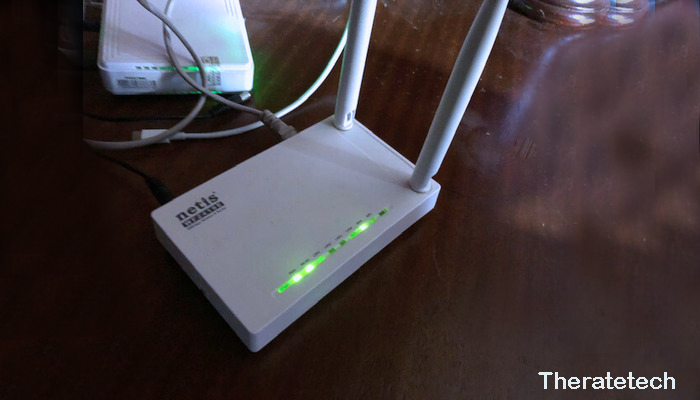
Reliable internet is essential in our increasingly connected world. Whether you’re working from home or in the office, needing a high-speed connection on the go, or trusting your local coffee shop’s Wi-Fi, a mobile WiFi router with fast LTE support is where it comes in handy. These devices plug into a cellular network and provide a single connection between multiple devices for portable internet access. But with so many options, finding the best mobile WiFi router can be tough. 3G, 4G/LTE, and the upcoming 5G, you name it; spending hours and hours choosing the right tech device that ensures consistent connectivity is a hassle. This guide aims to help you avoid that process by helping you choose a gadget.
When you’re choosing the right mobile WiFi router for a stable connection, this article will guide you through some important considerations, including its performance. In this review, we’ll take a closer look at the features, benefits, and aspects that set high-end mobile WiFi routers ahead of their competition. If you’re a regular traveler, work remotely, or know how important it is to have a stable internet connection, this detailed guide will help you determine which option is best for your situation and keep you connected while traveling.
What Is a Mobile WiFi Router?
A mobile WiFi router, also known as a pocket WiFi handset or portable WiFi hotspot, is a device that connects to a cellular network and broadcasts a wireless signal for internet access. Mobile WiFi routers use 4G or 5G networks to provide internet access. Unlike regular routers which require a physical internet connection. Thanks to their portability, battery life and compact form factor, these routers are great for remote workers, travelers or anyone who needs internet service in a location where there is no standard broadband.
You can link your tablet, laptop, smartphone or any other Wi-Fi-enabled device using the multiple connection capabilities of a mobile WiFi router. With the perfect mobile WiFi router, you can experience uninterrupted connectivity, free from data constraints and public Wi-Fi restrictions.
Why Choose a Mobile WiFi Router?
Mobile WiFi routers offer several benefits over other internet solutions. Here are a few reasons why you might consider choosing a mobile WiFi router:
- Portability: The mobility of WiFi routers is one of the reasons for this. Being small and light, mobile WiFi routers can be used while traveling in a way that other types of routers cannot (since you usually have to plug in a wired connection to a larger router that doesn’t move around). A portable WiFi router ensures that no matter where you are, whether it’s at a coffee shop during your vacation or at work, you’ll have a reliable and secure internet connection without any problems. It’s also great for people who live in areas with poor broadband coverage due to portability, as it provides the freedom to connect.
- Uninterrupted Connectivity: One of the notable benefits of a mobile WiFi router is that it provides uninterrupted connectivity. A mobile WiFi hotspot provides a reliable and secure internet connection wherever you go. You don’t have to worry about dropped calls or buffering issues when working from home, traveling, and attending virtual meetings. These routers tap into cellular networks instead of shared Wi-Fi connections in cafes or hotels, which are usually slow.
With a mobile WiFi router, you can get all the internet in a taxi, it’s 2017 and people should get used to it. Many modern mobile WiFi routers are equipped with features like 4G and 5G compatibility, superfast performance, and minimal lag, which makes them perfect for heavy tasks like streaming, gaming, and video conferencing. With this uninterrupted connection, you can work all day knowing that you won’t miss any important calls.
- Multiple Devices:High Number of Connections The advantage of a mobile WiFi router is that it can connect multiple devices at once. Most mobile WiFi routers can support five to thirty-two devices. Families, business teams, and group travelers will find this especially useful so that all members can be on the same network.
For example, you can use a single mobile WiFi router that connects your laptop, tablet, and smartphone – and IoT devices like gaming consoles or streaming boxes. Simple and affordable, that is, eliminating the need for multiple data plans and the hassle of sharing different hotspots.
And you can set and maintain priorities for your priority devices, creating a mobile WiFi network for devices that require more bandwidth – so if you’re trying to make sure that slow devices or activities aren’t interfering with important tasks (like work meetings or video chats), but rather allowing family members to enjoy games when they need them most, this device has you covered.
- Security:Everything connected to the internet should be secure, and mobile Wi-Fi routers are no exception. Public Wi-Fi connections – such as those in cafes, hotels, and airports – are often the target of data breaches and hacking. Your connection can easily be intercepted by a casual hacker, sometimes revealing personal emails and passwords. However, a portable Wi-Fi router is a more secure choice.
But almost every mobile Wi-Fi router has a built-in encryption algorithm, such as WPA2 (and now the latest version of that protocol, WPA3), which takes your data and encrypts it to secure your internet connection. This significantly reduces the chances of malicious people gaining access to your network. This is a feature that many routers offer, which will help to obscure your IP address and ensure that all your internet traffic is encrypted via a virtual private network (VPN).
No matter where you are, a mobile Wi-Fi router can create a private and secure network, which significantly reduces online risks. For travelers, remote workers, and those who access sensitive information via the web, it’s essential to know that your personal information and online activity are secure.
- Flexibility: Another huge advantage of using a mobile WiFi router is flexibility. Portable WiFi routers allow you to connect to the internet wherever you go, whether it’s just in a specific location or over a standard broadband connection for extended periods of time. If you’re a remote worker, traveling internationally, or just roaming around your home or workplace, a mobile WiFi router is the solution to all your internet woes.
With most mobile WiFi routers, you can choose a flexible data plan that suits you. Depending on the amount of your internet habits, you can pay as you go, go for a contract-free monthly plan, or use prepaid so you can save money and only pay for what you use. This can be especially attractive to travelers, digital nomads, and others who don’t want to sign up for fixed-line broadband in the first place.
And most mobile WiFi routers come unlocked, so you can use any carrier. This enables you to use a local SIM card or switch your phone to a local provider in another country. An affordable, portable option for those who need WiFi on the go.
Top Picks for 2025
Several mobile WiFi routers on the market stand out due to their premium quality and exceptional performance. Here are some of the best mobile WiFi routers to consider in 2025:
- Huawei E5788U-96A 5G Mobile WiFi Router: Offering 5G connectivity, this router delivers lightning-fast internet speeds and exceptional performance. It supports up to 16 devices and boasts a long-lasting battery life of up to 12 hours.
- Netgear Nighthawk M5 5G WiFi 6 Mobile Router: With support for both 5G and Wi-Fi 6, the Netgear Nighthawk M5 is perfect for users who require ultra-fast speeds and reliable performance. It supports up to 32 devices and offers robust security features.
- TP-Link M7350 4G LTE Mobile WiFi Router: Ideal for those on a budget, the TP-Link M7350 offers solid 4G LTE speeds and can connect up to 10 devices. It features a user-friendly interface and long battery life.
- Alcatel LinkZone 2: A reliable option for travelers, the Alcatel LinkZone 2 supports 4G LTE speeds and provides up to 10 hours of battery life. It can support up to 16 devices, making it ideal for groups.
How to Optimize Your Mobile WiFi Router Experience
A mobile WiFi router provides convenience and flexibility, but to get the most out of it, it’s essential to optimize its performance. Here are several tips and best practices to help you improve the connectivity, speed, and overall experience with your mobile WiFi router.
1. Place the Router in an Open Area
One of the best solutions you can have to improve your mobile WiFi router is by simply putting it in an open and central location. Wi-Fi signals flow from routers and extenders in all directions, but obstacles such as a wall here, a piece of furniture there or even an electronic device can impede the signal.
Don’t hide the router: They’re easy to misplace behind a pile of clothes or on the shelf of a closet.
Raise the device: If you can, set your router on a high shelf or service to spread the signal farther around your space.
Place the router in a central location: This leads to more equal spread of the Wi-Fi signal and better coverage across different areas.
2. Limit the Number of Connected Devices
Mobile (4G) WiFi routers are really designed to be used with up to 5 devices, the more that connect in one go, the slower that it can become. When multiple devices use the same connection at once, its bandwidth can become stretched and have an impact on the internet speeds experienced by each device.
Disconnect those unused devices: At times when one’s internet is slow, it can frequently be down to others using the connection – by removing them from the network you should find things speed up.
Prioritize: Some routers offer the ability to prioritize devices. If you want to protect high-bandwidth connections to video-conferencing or online gaming, make sure these devices get prioritization.
3. Monitor Data Usage
Most mobile WiFi routers have their own built-in apps or dashboards that can be used to monitor your data usage live. Checking the amount of data you are consuming can help prevent you from going over your data plan, particularly if you are using a prepaid or limited data plan. This can be done by:-
Keep tabs on usage – check how much data a particular device is using with the router app or dashboard.
Be careful with data-consuming activities – If you only have a limited data, while it may be tempting, do not stream videos in HD or use your entire data on hours of usage during peak hours.
4. Use Strong Passwords and Security Settings
It is very important to consider the security aspect while using a mobile WiFi router. If you don’t fix the security settings, some person can leech your network and that brings down a lot of performance plus security threats.
Change the default password: Most routers have a default username and password. Change these to a strong and unique password for added security.
Turn on WPA3 encryption: Make sure your router has the new WPA3 security protocol to thwart hacking and unauthorized access.
Use VPN: But if your router also supports, and you aren’t already doing this, log into a VPN for extra security as well as increased privacy while tackling sensitive work on public networks.
5. Regularly Update Firmware
Router vendors regularly ship firmware updates to patch vulnerabilities, boost performance and strengthen security. To utilize the most recent innovations, and also to ensure that your mobile WiFi router is kept up to date for future devices!
Turn on auto updates: Some routers can be configured to update the firmware automatically. This makes it so your router is never not up to date and you don’t have to do anything besides just walk away from the computer.
Periodically Look for Updates: If you don’t have automatic updates enabled, periodically looking for firmware is a good idea every few months or so.
6. Use 5G (If Available)
Benefits of mobile WiFi routers supporting 5G If you have a 5G compatible mobile WiFi router, it will greatly improve your speed and performance. 5G networks are faster, have lower latency time and allow more devices to be connected at once versus a 4G LTE network.
Switch to 5G if available: If you are in an area with good 5G coverage, a switch to 5G may offer a more reliable and faster internet connection.
Think about a 5G enabled router: If you’re planning for the future and want to step up your connectivity game, go with a mobile WiFi router that supports 5G tech.
7. Manage Wi-Fi Channels
Your router uses Wi-Fi channels to talk to your connected devices. If you live in an area with lots of other folks’ Wi-Fi networks (such as an apartment building), the channels can become clogged, leading to interference that slows down your router’s performance.
Choose a simpler channel: Use a router that can automatically pick the best Wi-Fi channel, or switch from the default automatic assortment to manually choosing one with less interference.
Switch to the 5GHz band: If you have a dual-band Wi-Fi router, go in and see if you can switch from the 2.4GHz band to the 5GHz band. Though the 5GHz is faster and less crowded, it can also support fewer concurrent conversations and has a shorter range.
8. Optimize for Specific Use Cases
Depending on how you plan to use your mobile WiFi router, here are a few settings that can help:
For gaming: Give your gaming devices the prioritization they deserve for lower latency and better speeds. Also make sure your router can apply Quality of Service (QoS) settings to prioritize real-time traffic like gaming.
For video: While streaming video content, make sure the router is capable of high-bandwidth usage by connecting to a 5GHz band and avoiding that other devices may be engaged in simultaneous activities requiring lots of data.
9. Keep the Router Charged or Plugged In
Battery life also can be an issue with a mobile WiFi router. If you’re using it for long sessions, make sure that either the device is charged or the battery operates while plugged in to prevent it from disconnecting when this predictable problem gets worse.
Keep the router plugged in: If you’re at a stationary location like an office, or a hotel room, it can be best to keep your router plugged in for long-term use.
Bring a portable charger: If you are on the go, bring a raw power bank to juice up your router.
10. Use a SIM Card with Adequate Data
Last but not least, make sure your mobile WiFi router’s SIM card has enough data for you. Select a data plan that matches your average usage, whether you’re an occasional browser or constant streamer.
Pick the right data plan: If you consume a lot of data, look for a plan that provides more data or unlimited access.
Check network coverage: Verify the carrier’s coverage is good in your routers’ intended locations, particularly if you’re traveling outside of North America.
Conclusion
Choosing the best mobile WiFi router is essential for uninterrupted internet access while traveling by train or car. Whether you’re in the city, the countryside, at home, or in the office, we all need fast WiFi and a reliable connection. With the right specifications, network capabilities, and strong security features, a mobile WiFi router can seamlessly bridge the connectivity gap—providing fast internet while on the go.
When selecting your mobile WiFi router, keep in mind key factors such as network compatibility, speed, battery life, and ease of use. With the tips in this guide, you’ll be able to make an informed decision on how to stay connected wherever you travel.
The right mobile WiFi router will help you stay connected, productive, or entertained while traveling – no matter where you are. Choose the right one and enjoy the convenience of uninterrupted web access at your fingertips.