
Smart home technology has changed the way we live in our homes, and products like Google Home and Ring Doorbells have become fixtures in homes all over the world. But the question most people often ask is: Does Google Home connect with Ring Doorbell? The short answer is yes! Google Home and Ring Doorbells can also work together, but it’s important to know why they work that way how you could benefit from having them running side by side and the limitations that might be in your way before enjoying a fully functional home automation system.
Today, in this article, we will tell you everything about how to connect your Ring Doorbell with Google Home. We’ll tell you how to set it up, what features you can take advantage of from the start, benefits and problems that might arise to ensure your smart home runs smoothly. Moreover, we’ll answer popular questions and combine it all with a comprehensive look at what the Google Home and Ring Doorbell have to do with one another.
What is Google Home?
Google Home is a Google Assistant-enabled smart speaker that serves as the center for your smart home system. Its created by Google, and also lets you control smart homes with voice command in no time. Whether you need to turn on the lights, change the temperature, stream music or find out what time it is in Perth- Google Home has got you covered thanks to its ability to work with third-party apps and devices so for anyone looking into implementing a smart home system this could be the perfect help.
Key Features of Google Home:
- Voice-activated control of smart devices
- Works with Google Assistant for various uses
- Support for devices made by a wide array of smart home companies, such as Philips and Nest
- Music streaming from platforms including Spotify, YouTube Music and Pandora
What is Ring Doorbell?
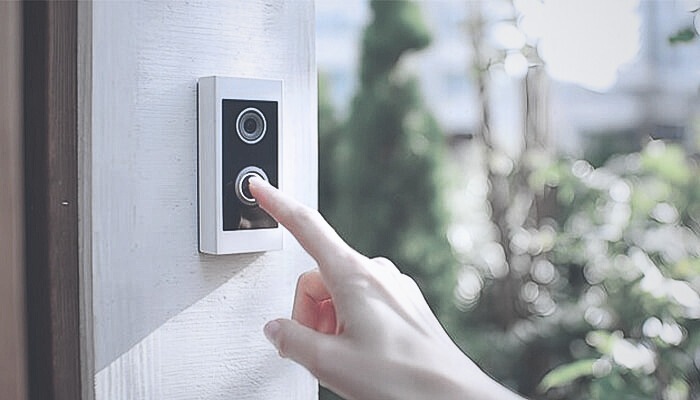
Ring Doorbell is a smart doorbell system with everything you need (including installation) to upgrade your home security! Ring Wi-Fi Enabled Video Doorbell – RVDPRO The Ring Doorbell will allow you to see and communicate with whoever is at your door through your smartphone or smart device (even if you’re not home). It includes a camera with HD video and two-way audio, allowing you to chat with visitors from afar. It also, connects to multiple smart home systems, and is even more secure as an overall system.
Key Features of Ring Doorbell:
- HD video with two-way talk(enable both parties to have free talk)
- Motion detection with customizable alerts
- Works with other smart home devices
- Recorded video footage in cloud storage
- Night vision capabilities
Google Home and Ring Doorbell Compatibility
Together, Google Home and Ring Doorbell are a dream come true for users who want to make security meet convenience by allowing smart home automation. So if you have a Ring Doorbell, this integration will let you bark voice commands at your door through Google Assistant which powers the Google Home.
Features of Google Home and Ring Doorbell Integration:
-
Watch Ring Doorbell Video on Google Home Devices:
Google Home Users who own Google Assistant compatible devices such as Google Nest Hub and Google Chromecast may now see the feed from their Ring Doorbell on these devices. All you have to do is say, “Hey Google, show me the front door,” and can then watch live video from your Ring Doorbell.
-
Voice-Activated Commands
Google Home: Hands-free to allow you to use the voice commands such as “Alexa, show me the studyroom” or “Ok Google, show me the studyroom”, you can feel free to say what you want and applause for easy operation without having fingers mess. Just say, “Hey Google, talk to the front door” and you can use your Ring Doorbell as a speaker phone.
-
Smart Home Automation
When it’s bundled up with a product, you can automate things like turning on the lights when someone rings your doorbell or enable certain actions based upon Ring’s motion sensors. For instance, you might create a routine that turns on your porch light whenever Ring detects motion.
-
Receive Notifications and Alerts
Holger Ensslin16th March 2019. At your door, Google Home ring, Ring Doorbell. Less than a minute Google Home and Ring’s Video Doorbell can work together to give you more security. Google Assistant can also tell you when someone is at your door, providing a hands-free way to be alerted. You can even ask to check in on motion alerts or missed calls, on your Ring device.
How to Connect Google Home to Ring Doorbell
The integration process between Google Home and Ring Doorbell is easy to follow. Here, it explains how that process works: A step-by-step guide will help you get started:
Make Sure You Have the Right Tools
Ensure you have a working Ring Doorbell connected to the Ring app. Also, make sure that your Google Home is properly set up and connected to the Google Home app.
Connect Google Home with the Ring App
- Launch the Google Home app on your phone.
- Click the + sign to add a new device.
- Click on “Set up device,” and then select “Have something already set up.
Find Ring on the list of compatible devices and connect your Ring account with Google Home when prompted.
-
Use Voice Commands
Once you have your devices paired, you can begin giving voice commands. For instance, tell the device, “Hey Google, show me the front door,” to see the live stream coming from your Ring Doorbell.
Integrating Google Home with Ring Doorbell
There are several benefits of bringing together your Ring Doorbell and Google Home, which improve the overall smart home experience. Here are the main benefits:
-
Convenience
The voice commands enable an alternative hands-free use suspect, which is useful if you’re busy or further away from your phone.
-
Security
The integration also adds to your home’s security system by offering a quick way to view the live video footage captured by the Ring Doorbell – so you can see and even talk with visitors in real time.
-
Smart Automation
You can create smart routines that take specific actions based on Ring Doorbell events, e.g, when it detects motion, you can turn on the lights, or for all those who ring its doorbell, you get instant alerts.
-
Improved Interaction
Also, Ring Doorbell works with Google Home, which enables you to speak with individuals at your front door without even having to answer your phone or walk over to the door which is cool when it comes to multitasking and cases of remote conversation.
Google Home and Ring Doorbell Connection Problems between Ring Doorbell and Google Nest Hub
Although the process for integrating Google Home with Ring Doorbell is straightforward, there are a few issues that many users may experience. Here are a few problems that might arise, and how to fix them:
-
Connection Problems
Make sure both Google Home and Ring Doorbell are paired to the same Wi-Fi. If you have connection troubles, turn both devices off and back on.
-
Delay in Video Feed
At times, the video feed from Ring Doorbell can take time to connect. It is quite likely due to your Wi-Fi signal strength. Upgrade your Wi-Fi system or rely on a Google Nest Wi-Fi for a more stable connection.
-
No Audio on Video Feed
If you can hear the audio when you see the video feed, then check that your Google Home or Google Nest Hub’s volume is set high. Alternatively, your Ring app settings could be preventing audio from coming through; refer to the app updating section above and adjust right settings.
-
Voice Command Issues
If Google Assistant is not responding to voice commands for Ring, make sure your devices are connected in the Google Home app and that your Google Assistant is updated.
FAQs
1. Does Google Home work with any Ring Doorbell?
Yes. Most Ring Doorbell models (including Ring Video Doorbell, Doorbell 2, and Doorbell Pro) work with Google Home through Google Assistant, provided both devices are on the same Wi-Fi network.
2. Can I see Ring video on Google Nest Hub?
Absolutely. Once linked, say “Hey Google, show me the front door” to view live footage on your Nest Hub or any screen with Chromecast.
3. Is it safe to connect Ring Doorbell to Google Home?
Yes. Both platforms use encrypted connections for privacy. Enable two-factor authentication for extra security.
4. Can Google Home control other Ring devices?
Yes. You can connect Ring Cameras and Ring Alarm systems to Google Home, as long as they’re compatible with Google Assistant.
Conclusion
Google Home and Ring Doorbell working together is progress in the category of smart home. The marriage of voice-controlled automation and the home-security prowess of Ring’s smart doorbell offers users a superior experience at home like never before. Whether it’s speaking to someone at your door remotely, watching live video feeds or automating your home security, there are a lot of upsides to all this integration.