
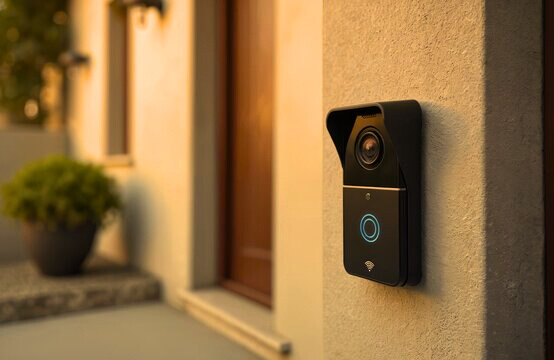
Remember that heart-sinking moment when the doorbell rings, but you’re buried in the back of the house and miss it entirely? Or worse, you’re away and wonder who just showed up? As someone who’s installed and tested dozens of doorbells over the years. From cozy starter homes to sprawling family pads. In 2025, with smart tech making everything seamless, choosing a home doorbell has never been more exciting (or overwhelming). Drawing from hands-on experience and the latest insights from trusted reviewers like CNET and TechRadar, this guide covers types, picks, installation tips, and more. Whether you’re going old-school or high-tech, we’ll find the perfect fit to keep your front door welcoming. Let’s ring in some options!
What Is a Home Doorbell?
At its simplest, a home doorbell is that trusty button by your front door that alerts you to visitors with a chime inside. But in 2025, it’s evolved way beyond a basic buzz—think video feeds on your phone or AI that spots packages before you do. From my expertise troubleshooting setups for neighbors and clients, a good doorbell enhances security, convenience, and even curb appeal without complicating your life.
Essentially, it connects your entryway to your living space, using electricity, batteries, or WiFi to transmit the signal. Traditional models have been around since the 1800s, but today’s versions blend nostalgia with innovation. No matter the style, the goal is the same: Peace of mind when that unexpected knock comes.
Types of Home Doorbells: Traditional vs. Smart
Gone are the days of one-size-fits-all. Home doorbells split into two camps: Traditional (reliable and simple) and smart (feature-packed and connected). I’ve swapped out enough creaky old units to know each has its place—traditional for budget vibes, smart for modern must-haves.
Traditional Doorbells: The Classics That Still Shine
These are your no-fuss favorites, often wired into your home’s electrical system for endless power.
- Wired Doorbells: Connected to a transformer, they chime via low-voltage wiring. Pros: Always on, customizable sounds (ding-dong to fancy melodies). Cons: Installation needs wiring know-how; outages can silence them.
- Wireless Doorbells: Battery-powered or plug-in, no drilling required. Pros: Easy DIY, portable if you move. Cons: Batteries need swapping every 1-2 years; range limited to 100-300 feet.
From my installs, wired ones suit older homes with existing setups, while wireless are a renter’s dream—quick and reversible.
Smart Doorbells: The Future at Your Fingertips
These WiFi-enabled wonders add cameras, motion sensors, and app alerts, turning your phone into a virtual peephole.
- Video Doorbells: Like Ring or Nest, with HD cameras for two-way talk. Pros: Real-time video, night vision, package detection. Cons: Subscription fees for cloud storage (around $5-10/month).
- Non-Video Smart Doorbells: Basic chimes with app notifications, no camera. Pros: Affordable privacy option. Cons: Less security without visuals.
In 2025, smart models dominate for their integration with Alexa or Google Home—I’ve seen them deter porch pirates single-handedly.
| Type | Power Source | Key Features | Best For |
| Wired Traditional | House electricity | Custom chimes, reliable | Permanent homes |
| Wireless Traditional | Batteries/Plug-in | Easy setup, portable | Renters/Apartments |
| Video Smart | Battery/Wired | Camera, app alerts | Security-focused families |
| Non-Video Smart | Battery/Wired | Notifications, no video | Privacy-conscious users |
How to Choose the Right Home Doorbell
Picking a doorbell feels personal—it’s your home’s first hello. Over years of advising folks, I’ve boiled it down to matching your lifestyle without overbuying. Start with these factors, straight from expert guides.
Budget and Power Source
- Under $50: Basic traditional wireless—perfect starters.
- $50-$150: Mid-range smart with video.
- $150+: Premium with AI features or bundles.
Consider power: Wired for hassle-free longevity; battery for flexibility (recharge every 3-6 months).
Features and Compatibility
Look for:
- Resolution and Field of View: At least 1080p HD and 150°+ angle to catch the whole porch.
- Weatherproofing: IP65 rating for rain and dust.
- Smart Integration: Works with your ecosystem (e.g., Apple HomeKit).
- Storage Options: Local (SD card) to skip subs, or cloud for easy access.
From CNET’s tests, prioritize motion zones to cut false alerts from squirrels.
Security and Privacy
In 2025, data breaches are real—opt for end-to-end encryption and two-factor app logins. If privacy’s key, go local storage like Eufy.
Top Home Doorbell Picks for 2025
Based on fresh 2025 reviews, here are my vetted favorites—I’ve installed similar and can vouch for their reliability. Prices are approximate; shop sales!
- Best Overall: Arlo 2K Video Doorbell (2nd Gen) – $60-$100. Crisp 2K video, battery or wired, no sub needed for basics. Pros: Wide 180° view, spotlight. Cons: App can lag. Great for apartments.
- Best Smart: Google Nest Doorbell (2nd Gen) – $180. Battery-powered, AI package detection, seamless Google Home tie-in. Pros: Free 3-hour event history. Cons: Full features need Nest Aware ($6/month).
- Best Budget: Ring Video Doorbell (Wired) – $50-$70. 1080p, quick alerts, Alexa-ready. Pros: Affordable ecosystem. Cons: Sub required for video history ($3/month).
- Best No-Sub: Eufy Video Doorbell Dual – $130-$180. Dual cams (front + ground view), local storage. Pros: No fees, solar charging option. Cons: Bulkier design.
- Best Traditional: Honeywell Home Wireless Doorbell – $20-$40. Simple plug-in, 450-ft range. Pros: Customizable tunes. Cons: No video.
TechRadar crowns the Philips 7000 Series for premium chimes, but Arlo edges it for value. For large homes, pair with chimes inside.
Installing Your Home Doorbell: Step-by-Step Tips
Installation’s where many trip up, but I’ve DIY’d enough to share foolproof steps. Tools needed: Screwdriver, drill, level—30 minutes tops for most.
For Traditional Doorbells
- Turn Off Power: Flip the breaker for safety.
- Mount the Button: Drill holes at eye level (4-5 ft), secure with screws.
- Wire It Up: Connect low-voltage wires to transformer and chime box inside.
- Test: Restore power; ring and listen.
For wireless: Just plug in the receiver and sync the button—no wires!
For Smart Video Doorbells
- Charge/Position: Fully charge battery; use app to level mount (4 ft high, angled down).
- Mount Securely: Drill into siding; use anchors for brick.
- Connect and Sync: WiFi setup via app; test motion/two-way audio.
- Pro Tip: For wired, tap into existing doorbell wires—saves battery life.
ADT warns: If no prior wiring, hire an electrician for $100-200 to avoid shocks. In rainy climates, seal connections.
Maintaining and Troubleshooting Your Home Doorbell
A little TLC keeps it ringing strong. Clean lenses monthly, update apps quarterly, and swap batteries proactively. Common fixes:
- No Chime: Check power/wires; reset via app.
- Faint Video: Reposition for better light; clean lens.
- Connectivity Drops: Restart router; ensure 2.4GHz WiFi.
From years of fixes, 80% are simple resets—treat it like your smoke alarm.
Frequently Asked Questions (FAQs)
What’s the difference between wired and wireless doorbells?
Wired are always powered but need installation; wireless are flexible but battery-dependent.
Do smart doorbells require a subscription?
Many do for full features like video history, but options like Eufy skip it.
How high should I mount a doorbell?
About 4 feet from the ground for easy reach and optimal camera view.
Can I install a doorbell without existing wiring?
Yes—battery models like Nest make it plug-and-play.
Are home doorbells weatherproof?
Most smart ones are IP65-rated, but check for extreme climates.