
In our fast-paced digital world, having a reliable internet connection is essential. Everything depends on a stable and high-speed internet connection: communication, shopping, entertainment, and remote work. A WiFi router, which allows multiple devices to connect to the internet at the same time without the use of wires, is a key component. Despite its widespread use, many people don’t know what a WiFi router is or how it works. We’ll discuss the question in this detailed guide: What is a WiFi router and how does it work? We’ll discuss its features, parts, different types of routers, and how to set up your router to run more smoothly. If you’re a tech buff or want to learn more about your home network, this article will provide you with all the details you need.
What Is a WiFi Router?
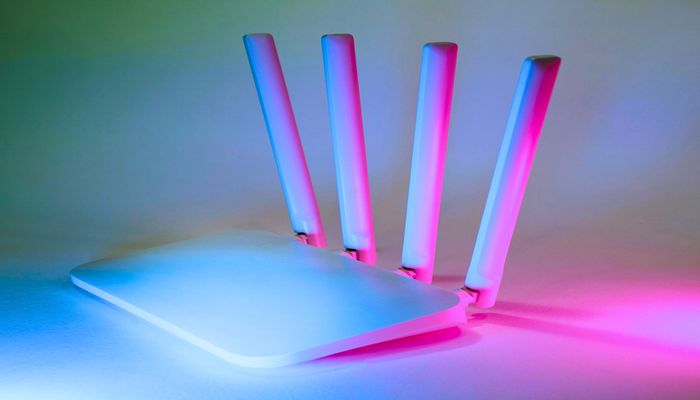
A WiFi router connects your home or office to the internet wirelessly by linking to your modem. It sends a signal, allowing smartphones, laptops, tablets, and smart home devices to access the internet. The router acts as a bridge between the internet connection provided by your ISP and the devices using it.
In its most basic form, a WiFi router is designed to schedule and control the flow of information between your internet service and connected devices. It receives internet data from a modem and broadcasts it as radio waves that can be picked up by anyone with WiFi capabilities. These radio waves transmit data over long distances, depending on how powerful the router is and where it is located.
Key Functions of a WiFi Router:
- Routing Data: The primary function of a WiFi router is to route data between the internet and your devices. It directs data from the internet to the appropriate device and vice versa.
- WiFi Connectivity: A router broadcasts wireless signals in the form of WiFi, allowing devices to connect to the network without physical cables.
- Security: Modern WiFi routers provide various security measures to protect your data. This includes encryption protocols like WPA2 and WPA3, which secure your network from unauthorized access.
- Network Management: Routers often come with built-in tools for managing your network, such as setting up parental controls, monitoring connected devices, and controlling data usage.
- Device Connectivity: WiFi routers allow multiple devices to connect to the internet simultaneously. Many routers can handle a large number of connected devices, which is especially useful in modern households or offices with many connected gadgets.
How Does a WiFi Router Work?
A WiFi router operates by sending electricity through your internet. Here is a closer look at how it does its job:
-
Internet Data Transfer
Receiving Data When your router is connected to a modem, it has access to data from the internet service provider (ISP). If there is to be a distinction in the devices, it’s that the modem is the one that feeds off your ISP’s physical network connection (cable, DSL, fiber optic or satellite). It’s the modem that translates the data signal into something that your router can understand and route.
When the modem sends the information to your router, the router handles it and transmits it wirelessly to all of your devices. The process does this by turning the data into radio waves, sending it out through the air to your device.
-
Wireless Signal Transmission
The router transmits and receives data in a form of radio frequencies. They work in two major bands: 2.4 GHz and 5 GHz.
2.4 GHz Band, this band offers longer range but slower speed. It’s great for light internet use — browsing and email.
5 GHz It is the faster network and less vulnerable to interference. Ideal for high-demand activities such as HD streaming and online gaming.
Your router communicates with devices like your smartphone or laptop over bands that it sends data on — you’ve probably seen the word “band” used to describe this in relation to 2.4Ghz and 5Ghz bands, for example. And then the device talks back to the router to ship or receive data with the wide world web.
-
Modulation and Encryption
To send data back and forth from your transmitting device and receiving device, it must modulate the data in the air so the receiving device can get the information. Routers modulate the digital data into a form that can be transmitted through thin air. The digital data is transferred in the form of modulating the data to radio waves. Some might ask, how does that mean modulate protect data? This modulation ensures that the data is properly transferred and does not decay away properties in the air.
A wireless router encrypts the signal to protect your data using WPA2 and WPA3 encryption methods. Encryption helps secure your network from unauthorized access. It ensures that the data transferred between the router and the device remains secure.
-
Authentication and IP Addressing of Devices
Whenever a device attempts to join the WiFi, your router uses an authentication process to check that it’s approved. It does this via a password or a security protocol such as WPA2.
Once authenticated, the router assigns an IP address to the device. This IP address serves as a label that allows the device to properly return and forth items of information which are sent to it with you.
Types of WiFi Routers
There are various types of WiFi routers, each designed to meet different needs. Here are some common types:
-
Single-band routers
As the name implies, single-band routers operate on the 2.4 GHz band only. Such models are often older and of limited capability in terms of speed and coverage. Single-band routers can only be used for simple tasks, such as web surfing or emailing, as they cannot handle intense activity like streaming and gaming.
-
Dual-band routers
Dual-band routers can work on both the 2.4 GHz and 5 GHz bands, meaning that low-bandwidth devices remain on the cheaper 2.4 GHz bands, while high-demand devices, such as streaming devices and gaming consoles, are allocated to the more expensive 5 GHz bands. Dual-band routers are still very common nowadays, with such a model enabling high speeds and a wide range of connections.
-
Tri-band routers
A tri-band router, unlike the dual-band model, includes an additional 5GHz band to the existing 2.4GHz and 5GHz bands. Tri-band routers are ideal for households or workplaces with a vast number of connections and devices, benefiting from the overall improved speeds on burdened home networks towards minimizing overall input-output and congestions due to efficient bandwidth distribution.
-
Mesh WiFi systems
Mesh systems, unlike other router devices built around a single unit, rely on several modules, often known as nodes, that produces a greater signal strength. Such multiple unit nodes provide signal ranging to distant areas inside the household or offices, which a single-unit router is unable to achieve.
WiFi Router Security:
Safety is ticany WiFi routerk of any other WIFI router. Without adequate security measures, your network is susceptible to hacker attacks, unauthorized access and information theft. Here’s what to look for when comparing security features:
- Encryption: WPA2 or WPA3 These protocols help secure information being transferred over your network. WPA3 is the latest and most secure protocol, providing more protection against brute force attacks.
- Guest networks: A lot of newer routers allow you to create a guest network. This feature means visitors can still get on the internet without getting onto your main network – meaning added safety.
- Firewall Protection: A router’s firewall shields you from unwanted Internet traffic; prevent unauthorized access from entering your network.
- Frequent Firmware Updates: Router vendors provide us with firmware updates to correct security issues and bring enhancements to the device. Be sure to stay updated so that your router can be secure.
How to Optimize Your WiFi Router for Better Performance
To get the most out of your WiFi router, follow these tips for optimal performance:
- Choose the Right Location: Place your router in a central location in your home to ensure the signal reaches all areas evenly. Avoid placing it near walls, metal objects, or electronic devices that may interfere with the signal.
- Use the 5 GHz Band for High-Speed Devices: If your router supports dual-band WiFi, connect high-bandwidth devices (such as gaming consoles, streaming devices, or laptops) to the 5 GHz band for faster speeds.
- Change Your WiFi Channel: If you live in a crowded area with many WiFi networks, interference from other networks can slow down your connection. Changing the WiFi channel can help improve performance.
- Enable QoS (Quality of Service): Many modern routers have a Quality of Service (QoS) feature that prioritizes certain types of traffic, such as video streaming or VoIP calls, ensuring they get the bandwidth they need.
Conclusion
WiFi routers stand out as an important device for every individual in the modern world. These devices allow multiple devices to connect to the internet without needing an Ethernet connection to a modem. They provide a single access point for internet connectivity. The device receives data from the uplink, converting it into radio waves before broadcasting the connection. Smart routers handle three essential tasks: routing, security, and wire line management. These tasks ensure that the network remains efficient, reliable, and secure for all users.
This information can help you decide whether to choose a wired router. It also provides guidance on how to improve security to optimize devices for a safe, reliable, and fast connection. Best practices, such as using the device in crowded places, keeping it clean, and updating it regularly, can extend its lifespan. Keeping the password secure is crucial for maintaining a safe network.
With increasing internet demand, choosing a high-quality WiFi router provides a stable, secure, and fast connection. This ensures optimal performance for your devices and those of your entire family. Whether you’re upgrading an old device or purchasing a new one, the information above is essential for improving your connectivity system’s efficiency.