
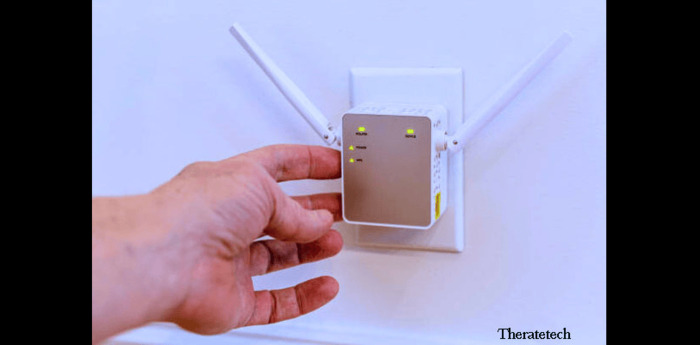
In today’s connected world, whether you’re working or playing, a stable and fast Wi-Fi connection is more important than ever. However, weak Wi-Fi signals are still a problem in many homes and businesses. You may experience slow speeds, dropped connections, or no connection at all. If these are your problems, a Wi-Fi extender could be the best way to extend your coverage and eliminate dead zones in your home.
To increase the range of your network, a Wi-Fi extender amplifies an existing signal coming from your router and rebroadcasts it. Connecting a Wi-Fi range extender is easy, and in this guide, we’ll tell you everything you need to know so you can get back online as quickly as possible and increase your range.
Why You Should Use a WiFi Extender?
The good news is that a WiFi extender is one of the most important devices to have to fill in all the dead zones in your home. While the latest fiber-optics based routers offer faster speeds and more coverage, they have range limitations, making them almost unusable in larger homes; houses with multiple floors and building walls interfere with the signal, causing the connection to be at a very short distance from the router.
Here are some reasons why you might need to install a WiFi range extender:
For large homes or offices, if you live in a very large house or work in a large office, your router will be able to provide a stable signal in a small part of that area. In that case, having a WiFi extender extends the range so that each room can enjoy a stable WiFi network. Like the multiple floors or rooms mentioned above, shops located on top of multi-story buildings have very poor WiFi connections because the connection is very poor. Installing an extender in a strategic location on the top floor of your home will ensure that the signal spreads to every other floor. Very thick walls or obstacles, such as concrete, are known to block or disrupt the strength of a WiFi signal.
However, if a home or office has a large amount of materials that disrupt the signal strength, an extender retransmits the signal to the desired location. In terms of outdoor coverage, many people have a back garden or yard and may want to finish work or watch a movie. Accessing WiFi from home in such places can be difficult. Therefore, if you install an extender, the home WiFi will cover 30-50 meters horizontally.
Types of WiFi Extenders
When choosing a WiFi extender, it’s important to consider the different types available. Depending on your needs, some types of extenders might be more suitable for your setup.
1. Standard WiFi Extenders
These are single-function devices which plug into your existing WiFi router, and boost its signal to a specified area. They operate by grabbing the signal that your router sends and broadcasts that signal at a higher wavelength.
2. Mesh WiFi Systems
A mesh WiFi system is composed of several units that provide whole-house coverage. Unlike traditional extenders, mesh systems form a single, seamless network that devices can smoothly hop onto without your having to tell them which to connect to. This kind of system is best suited to larger or multi-story homes as you don’t have to manually swap networks.
Pros: More consistent network, smoother experience on a larger space or multiple floors.
Cons: Pricier than entry-level extenders.
3. Powerline WiFi Extenders
Powerline extenders transmit the WiFi signal through your home’s electrical wiring. They usually come in pairs, with you connecting one to your router through an Ethernet cable and plugging the second one into a power outlet elsewhere in your home. You can put it to work when you have big houses or in instances that the Wi-Fi signal is transmitted through walls.
Pros: Ideal for long distances and in places where the signal must penetrate dense walls.
Cons: Depends on quality of your electrical wiring.
WiFi Extender vs. WiFi Mesh System
While both WiFi extenders and mesh systems help improve coverage, each has its own strengths and ideal use cases.
-
WiFi Extender: It is suitable for warm-up equipment. This means that WiFi extenders are perfect for rooms with weak signal strength for a quick strengthening of it. This type of equipment is best bought for short signal losses and the need to eliminate them, as devices are connected to them that “magnify” the original signal. Thus, this is an inexpensive way to solve the problem, but often after connection, the speed drops significantly. Restricted to relatively small areas.
- Mesh Systems are more sophisticated and ideal for larger homes or spaces with complex layouts. They offer seamless coverage without the need to manually switch networks. While mesh systems are typically more expensive, they provide a more reliable and consistent connection throughout your space.
How to Optimize Your WiFi Extender Setup for Maximum Performance
No matter which WiFi extender you connect, it’s important to optimize its setup to get the most out of it. Obviously, there are other ways to optimize your extender in addition to the tips above:
Placement: Placement is crucial for any WiFi extender. If you place it too far from your router, the signal will likely be too weak to be boosted. On the other hand, too close and in a dead zone area, the signal will not be amplified properly. The best option is to place it somewhere halfway between the router’s location and the dead zone area.
Band: Most WiFi extenders are dual-band, meaning they can communicate on both 2.4GHz and 5GHz. The former has a longer range but slower speeds, while the latter has higher speeds but limited range. The smart things Samsung app states that you can use the 5GHz band for devices that need high speeds, like PlayStation or smart TVs, and the 2.4GHz band for devices like mobile phones or laptops.
Firmware Updates: Like other network devices, WiFi extenders can be updated whenever the manufacturer releases a new version. These updates usually improve performance, enhance security, and reduce bugs. Therefore, it is important to regularly check for updates and keep your extender’s firmware updated.
Interference: Devices like microwaves, baby monitors, or cordless phones can interfere with WiFi signals. Additionally, having too many devices connected to your network can cause a number of problems, including slow internet. Make sure the extender is not near any electronic equipment to avoid interference.
Network Traffic: Consider limiting the number of connected devices to achieve maximum performance.
Troubleshooting Common Issues with WiFi Extenders
Though getting your WiFi extender up and running is quick, you will run into a few problems. Some are listed below, along with their solutions:
1. Issues Connecting to the Router Solution: Ensure that your router is transmitting on the proper frequency band. Similarly, you may place your extender in a location where it operates on your router’s band. You may also rethink setting up your WiFi and making sure you input the correct password.
2. Sluggish Network with a Weak Signal Solution: You should attempt relocating your extender closer to the router or adjusting its position.. Meanwhile, make sure that nothing like a wall or a refrigerator is disrupting the signal between your router and extender. Also, limit interference.
3. Devices Are Continuously Disconnecting Solution: if the extender isn’t correctly connected to the router, double-check that both the extender and the router’s firmware is the newest. Also, keep in mind that gadgets can disconnect without notice. If they do, it is probably due to signal strength or the distance between you and your extender.
Conclusion
A WiFi extender connected to your adequate system is the most convenient method to ensure WiFi expansion and eliminate all dead zones at once. Whether you live in a small flat or a multi-store house, with the best WiFi repeater connected to your existing system, your income will be ensured in every corner or place.
A simple configuration process will create acceptable internet seepage. Also, the correct location and setup of the ideal extender will provide everyone with adequate internet seepage in a short time. Your home or office will receive the right WiFi signal; no matter how you look for it; very little is needed, the device has no wires and is easy to place where you want to use it. Subsequently, it is configured, stay online, play and communicate; you want to watch videos; browse, a fully functional WiFi system can be easily obtained in your home or even outside the house – based on the extender with the source configuration you have; your system tools need to be updated regularly to monitor your WiFi; installation respect.